
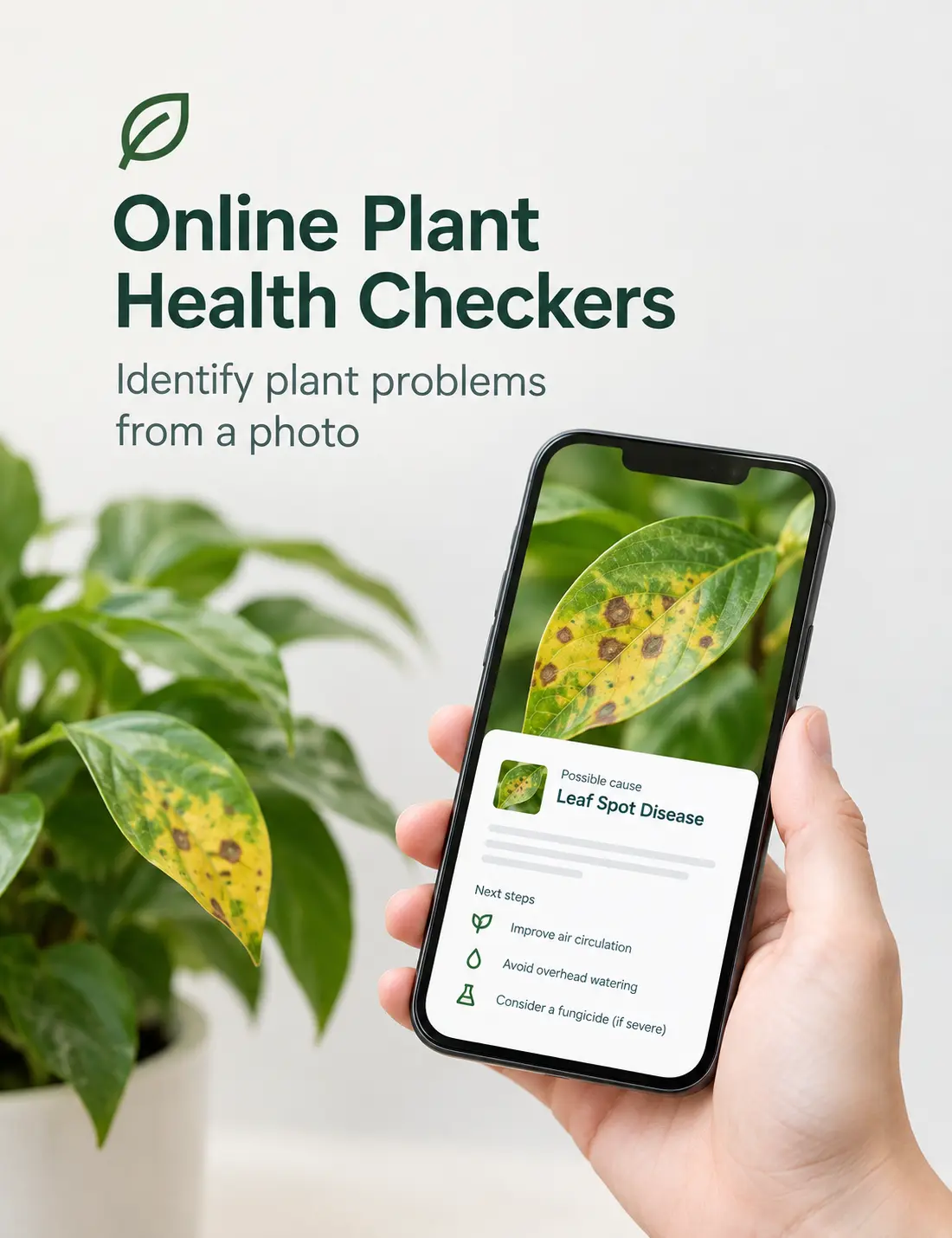

You notice yellow leaves, brown spots, curling foliage or unusual growth on a plant and want to know what’s going on — without waiting days for a nursery visit or a lab result. That’s exactly the gap online plant health checkers fill: upload or photograph a leaf, and an app or website compares what it sees against a large library of known symptoms to suggest what might be happening and, in some cases, what to do next.
This guide looks at how these tools actually work, compares several of the current options — including Green Pick’s own free Leaf Scan AI — and walks through how to get a useful result from a photo, including when the smarter next step is a soil test rather than another app.
Quick answer: Online plant health checkers use image recognition to compare your leaf photo against a database of known plant problems, then suggest possible causes such as disease, pests, nutrient deficiencies or watering issues. They’re a useful first read on a sick-looking plant, but they work from visual symptoms alone — they can’t see your soil, your watering history or your roots, so treat the result as a starting point rather than a confirmed diagnosis, especially for valuable or food-producing plants.
Jump to: Can you diagnose from a photo? · How these tools work · Compare the tools · Comparison table · Which tool do you need? · Taking a good photo · Where apps get it wrong · Diagnosis to fertiliser · Green Pick’s Leaf Scan AI · FAQ
Can You Diagnose a Plant Problem From a Photo?
To an extent, yes — and that’s genuinely useful. A clear photo can show a lot: the colour and pattern of discolouration, whether spots have a particular shape or halo, whether damage sits on new growth or old growth, and whether veins stay green while the tissue between them yellows. That’s exactly the kind of visual evidence a plant health checker is built to read, and it’s often enough to narrow a long list of possible causes down to a handful of likely ones.
What a photo can’t show is what’s happening underground or in the soil itself. Root rot, compacted soil, salt build-up, a blocked drain under a garden bed, or a soil pH that’s locking up nutrients the plant technically has access to — none of that is visible in a leaf photo, no matter how sharp the image is. A photo also can’t measure your soil’s actual nutrient levels; it can only suggest that a pattern of yellowing looks consistent with a particular deficiency. So a photo-based check is a strong first step, not a final answer — particularly when a plant is valuable, is grown for food, or isn’t responding to an obvious first treatment.
How AI Plant Diagnosis Tools Work
Most of the tools in this guide work the same basic way. They’re trained on very large libraries of photos that have already been labelled — this leaf shows powdery mildew, this one shows iron deficiency, this one shows aphid damage — often contributed by researchers, agronomists or the app’s own user community over several years. When you upload a new photo, the tool’s image recognition model compares the colours, textures and patterns in your photo against that library and returns the closest matches, usually ranked by how confident it is in each one.
It’s pattern-matching against known examples, not a biological test. The system isn’t measuring chlorophyll, sap chemistry or nutrient levels directly — it’s recognising that your leaf looks similar to other leaves already confirmed to have a particular problem. That’s exactly why photo quality, lighting and getting a clear, close-up shot of the affected area (more on that below) make such a difference to how useful the result actually is.
Best Online Tools for Checking Plant Health From a Photo
There’s no single “best” plant health app — the right one depends on what you’re actually trying to solve, from a backyard tomato with yellow leaves to a paddock with a suspected pest outbreak. We’ve listed the tools below alphabetically, not ranked, and cover a genuine range of use cases: broad-acre crop diagnosis, citizen-science plant identification, general houseplant care, and Green Pick’s own fertiliser-focused leaf check.
Garden Answers
Garden Answers is a long-running plant identification app — its Google Play listing states it has been downloaded more than 3 million times — that lets you photograph a plant to get a species match, then dig into plant problems through a searchable database of pests and diseases and a community of horticulturists you can ask directly.
For a straightforward “what plant is this” photo match, the identification feature is quick and simple. For a specific health problem, though, the photo tool itself is built around species identification rather than automated disease or pest diagnosis — for that, you’re mostly working through keyword search or the expert community rather than getting an instant AI read on a photo of the symptom itself.
Best suited for: home gardeners who want a plant name plus the option to ask a real person about a tricky problem.
Visit Garden Answers →
Green Pick’s Leaf Scan AI
Green Pick’s own Leaf Scan AI is a free, browser-based tool — no app download required — built around a simple three-step flow: take or upload a photo of the leaf or area you’re concerned about, wait roughly 5–20 seconds while it checks colour, texture and pattern, then read a short health summary with suggestions if anything needs attention.
It doesn’t attempt to identify plant species, and Green Pick is upfront that the result is indicative only, based on visual appearance, and isn’t a substitute for professional horticultural advice or soil testing. Where it’s genuinely useful is as a quick, free first check that sits inside a wider fertiliser-focused site — if the result points toward a possible nutrient issue, the next steps (guides, a fertiliser finder, a feeding calculator) are close at hand rather than a separate search.
Best suited for: home gardeners who want a fast, free visual check as a starting point, particularly when a feeding or nutrient issue is suspected.
PictureThis
PictureThis pairs plant identification with a “Disease Auto Diagnose & Cure” feature: photograph a struggling plant and the app suggests a likely disease along with treatment advice, plus broader care plans covering watering, light and fertilising schedules.
The catch is that most of this sits behind a subscription. The app is free to download, but identification credits are limited, and disease diagnosis plus full care guides are part of a paid plan that starts with a free trial; several independent reviews specifically flag the trial-to-paid conversion terms as worth reading carefully before signing up. A web-based version is also available alongside the mobile app.
Best suited for: plant owners who want an all-in-one app — ID, diagnosis and ongoing care reminders — and don’t mind paying for the full feature set.
Visit PictureThis →
PlantIn
PlantIn identifies plants (and mushrooms) from a photo, then offers a disease identifier alongside care tools like a watering calculator, a light meter and fertilising reminders. Its own site lists a mix of subscription options — including a weekly plan and a one-time lifetime purchase — alongside a limited free tier, so it’s worth checking current pricing directly, as plans and offers change.
As with PictureThis, the deeper diagnostic and unlimited identification features sit in the paid tiers, and some user reviews report mixed accuracy on less common plants. The care-plan and reminder side of the app tends to get the most praise.
Best suited for: houseplant owners who want an ongoing care companion — reminders, calculators and a diagnosis feature — rather than a one-off photo check.
Visit PlantIn →
Pl@ntNet
Pl@ntNet is a free, non-profit citizen-science project built by four French public research institutes, with no ads or subscriptions. Its core strength is plant identification — its own documentation states it can now recognise nearly 60,000 species from a photo — and it has added a diseases-and-pests identification feature on top of that.
Pl@ntNet is explicit about the limits of that newer feature: it currently covers a limited list of species and pathologies, and results are described as informative advice rather than a professional diagnosis, with no treatment information provided. So it’s a strong choice for working out what a plant is, and a reasonable early check on a disease or pest, but it isn’t built to tell you what to do about a nutrient problem or recommend a fertiliser.
Best suited for: identifying an unknown plant, or a first, ad-free look at a possible disease or pest on a species it covers.
Visit Pl@ntNet →
Plantix
Plantix is a free app aimed squarely at farmers and growers: photograph a crop and it returns a diagnosis covering disease, pest or nutrient deficiency, along with suggested treatments. It also includes a fertiliser calculator that works out fertiliser demand from your plot size, local disease alerts, a weather forecast, and a large farmer community for second opinions.
It’s genuinely broad for field and orchard crops — its own site states it has answered more than 100 million crop-related questions from farmers worldwide — but that focus is also its limitation for a home gardener with, say, an indoor fig or an ornamental rose, where its species coverage and advice are less tailored than its farming feature set suggests.
Best suited for: farmers, market gardeners and anyone managing field-scale crops who wants diagnosis and a fertiliser calculator in one app.
Visit Plantix →
Comparison Table
Here’s how the six tools stack up on the features that matter most for a photo-based plant health check. Where a feature isn’t clearly documented by the provider, it’s marked “Not clearly stated” rather than guessed.
| Tool | Image Analysis | Plant ID | Disease/Pest Detection | Nutrient/Deficiency Help | Treatment/Care Advice | Fertiliser Guidance | Platform | Free/Paid |
|---|---|---|---|---|---|---|---|---|
| Garden Answers | Yes | Yes | Limited (keyword search & expert Q&A, not automated photo diagnosis) | Not clearly stated | Yes (via expert community) | Not clearly stated | App (iOS & Android) | Free, with in-app purchases |
| Green Pick Leaf Scan AI | Yes | Not clearly stated | Limited (general visual health check, not split into disease vs pest categories) | Limited | Yes | Yes | Web browser (desktop & mobile, no app needed) | Free |
| PictureThis | Yes | Yes | Yes | Limited | Yes | Limited (general fertilising schedule, not deficiency-specific) | App (iOS & Android) + web | Freemium (free trial, then subscription) |
| PlantIn | Yes | Yes | Yes | Not clearly stated | Yes | Limited (fertilising reminders, not deficiency-specific) | App (iOS & Android) + web account | Freemium (subscription for full features) |
| Pl@ntNet | Yes | Yes | Limited (limited species/pathology list; informative only) | Not clearly stated | No | No | Web + App (iOS & Android) | Free |
| Plantix | Yes | Yes | Yes | Yes | Yes | Yes (fertiliser calculator by plot size) | App (iOS & Android) | Free |
We verified features against each provider’s own website, app store listing or documentation. Where a provider didn’t clearly document a feature, it’s marked “Not clearly stated” rather than assumed.
Which Type of Plant Diagnosis Tool Do You Need?
Rather than one “winner,” it’s more useful to match the tool to what you’re actually trying to solve:
If you mainly want to identify a plant — Pl@ntNet or PictureThis are built around broad species identification, with Pl@ntNet the free, ad-free, citizen-science option.
If you’re dealing with a suspected crop or farm disease — Plantix is built specifically for field and orchard crops, with a large farmer community and disease alerts for your region.
If you’re managing a garden or houseplant and want ongoing care reminders alongside diagnosis — PictureThis or PlantIn combine a disease identifier with watering calculators, light meters and fertilising reminders.
If you want to ask a real person about a tricky, unusual case — Garden Answers connects you with a horticulturist community alongside its plant ID and pest/disease database.
If you want to start with a simple, free photo-based health check and move toward fertiliser or nutrient guidance — Green Pick’s free AI Leaf Scan is built for exactly this, especially if you suspect the issue is feeding-related, since relevant guides and fertiliser tools sit right alongside it rather than requiring a separate search.
How to Take a Good Leaf Photo for Diagnosis
Whichever tool you use, the quality of your photo affects the result more than which tool you choose. A blurry, dim or overly zoomed-out photo gives even the best image recognition very little to work with.
Garden tip: If you’re unsure which leaf to photograph, choose one that’s clearly affected but not yet dead or fully brown — early-to-mid stage symptoms are usually easier to read than a leaf that has already died back.
- Use natural, diffuse light — an overcast day or open shade is better than direct sun, which creates harsh shadows and blown-out highlights
- Avoid strong shadows falling across the leaf itself
- Photograph both an affected leaf and a healthy leaf from the same plant, for comparison
- Where possible, include a photo of the whole plant as well as close-ups, so overall growth pattern and shape are visible
- Take close-ups of any spots, discolouration or unusual texture, filling the frame with the area of concern
- Keep the shot in focus — tap to focus on the leaf before taking the photo if your camera allows it
- Photograph both the top and underside of the leaf where relevant, since some pests and diseases show up mainly underneath
- Avoid filters, heavy editing or colour-correction apps, since these can distort the colours the tool is trying to read
Why Plant Diagnosis Apps Can Get It Wrong
Even a good photo-based tool can point you in the wrong direction, and it’s worth understanding why before you act on a result.
Important: A photo-based diagnosis is a hypothesis to test, not a confirmed result. Cross-check it against a proper symptom guide before spending money on treatment or fertiliser, particularly for a valuable or food-producing plant.
Similar symptoms can have very different causes. Yellowing between the veins can point to iron deficiency, magnesium deficiency, or simply older leaves naturally dying off — the difference often comes down to which leaves are affected (new growth versus old growth) and the exact pattern, details a general-purpose tool can miss.
Lighting genuinely affects the result. A photo taken in strong shade can look more yellow-green than the same leaf in daylight, and colour casts from artificial light or a phone’s automatic white balance can shift how a symptom reads to an image model.
Nutrient deficiencies and disease symptoms can look alike. Interveinal yellowing, leaf spotting and stunted new growth are symptoms that multiple different problems can produce, so a tool trained mainly on disease photos may lean toward a disease diagnosis for a symptom that’s actually nutritional, and vice versa.
Watering problems mimic nutrient deficiencies. Both overwatering and underwatering commonly cause yellowing, wilting or leaf drop that can look remarkably similar to a nutrient issue in a photo, even though the fix is completely different.
Pests can cause secondary symptoms. Sap-sucking insects, for example, can trigger yellowing or curling that looks nutritional at first glance, when the actual cause is an infestation a wider-angle photo would have shown.
Root problems usually aren’t visible at all. Root rot, girdling roots or a compacted root ball can produce leaf symptoms that look identical to a nutrient or watering problem, but the actual cause is below the soil line, where no photo can see it.
Soil chemistry can’t be read from a leaf. A photo might correctly identify that a leaf pattern looks like iron deficiency, but it can’t tell you whether that’s a true iron shortage in the soil or a pH issue that’s locking iron up even though there’s plenty physically present — two problems with very different fixes.
None of this means these tools aren’t useful — it means they’re one input, not the whole picture.
From Plant Diagnosis to Fertiliser Selection
It’s tempting to see a yellow leaf, assume “nutrient deficiency,” and reach for the nearest fertiliser — but that’s often exactly the wrong move, and can make some problems worse rather than better.
Yellowing and similar symptoms can come from several different directions:
- Nitrogen deficiency — often pale, washed-out yellowing starting on older, lower leaves
- Iron deficiency — typically interveinal yellowing (yellow tissue, green veins) on new growth; see Green Pick’s guide to yellow citrus leaves for how this pattern plays out in practice
- Magnesium deficiency — yellowing at the tips and margins of older leaves, often more noticeable in autumn
- Potassium deficiency — can show as scorched-looking leaf margins under heavy fruiting or flowering; Green Pick’s high-potassium fertiliser guide covers when this is actually the cause
- Overwatering or underwatering — both commonly produce yellowing, and neither responds to fertiliser
- Root damage — from disturbance, compaction or rot, which fertiliser can’t fix and may aggravate
- Soil pH locking up nutrients — the nutrient may be present in the soil but chemically unavailable to the plant, a pattern covered in Green Pick’s iron chelate guide to how different chelating agents perform across soil pH
- Pests or disease — where the fix is pest or disease management, not feeding
Applying the wrong fertiliser doesn’t just waste money — over-fertilising can burn roots, push a nutrient further out of balance, or add to a salt build-up that’s already stressing the plant. If a photo check or your own observation points toward a specific deficiency, it’s worth cross-checking the pattern against a proper guide before buying anything. Green Pick’s complete guide to choosing the right fertiliser and the Fix Deficiencies range are built around exactly that step — matching a suspected cause to the right product rather than guessing.
For a genuinely uncertain case, or a valuable or commercial planting, a soil or leaf tissue test from a local lab or your state department of agriculture will tell you what a photo can’t: your soil’s actual nutrient levels and pH, rather than a visual guess based on symptoms alone.
Already know which fertiliser you’re working with? Green Pick’s Smart Fertigation Planner calculates mixing rates and feeding schedules for your specific plant, growing method and product selection — useful once you’ve narrowed down the cause and picked a product, rather than as a diagnosis step.
Green Pick’s AI Leaf Scan
If you’d rather start with a simple photo check than dive straight into a fertiliser guide, Green Pick’s plant health photo checker is built for exactly that first step.
It works entirely in your browser — on desktop or mobile — with no app to download and no cost. The process is three steps: take a photo or choose one from your gallery, wait roughly 5 to 20 seconds while it checks the leaf’s colour, texture and pattern, then read a short health summary with suggestions if anything looks like it needs attention. For the clearest result, Green Pick’s own guidance is to fill the frame with the leaf or affected area (rather than the whole plant), shoot in natural daylight without flash, hold the camera steady around 20–30cm from the leaf, and use a plain background if you can manage it.
As with any photo-based tool, it’s worth reading the result as a starting point rather than a diagnosis. Green Pick says as much directly on the tool itself: the result is indicative only, based on visual appearance, and isn’t a substitute for professional horticultural advice or soil testing. Where it’s designed to be genuinely useful is the next step — because it sits inside Green Pick’s wider fertiliser range, a result that points toward a possible feeding issue can lead straight into a relevant product or guide, rather than a separate search for what to do next.
Have a leaf that doesn’t look right? Upload a photo and get a free health summary in under 20 seconds — no account or app required.
From there, a few other Green Pick tools and guides are worth knowing about:
- The Find My Fertiliser tool helps narrow down a specific product once you’ve got a rough idea of the issue
- The Smart Fertigation Planner works out mixing rates and a feeding schedule for your plant and growing setup
- For a broader read on symptoms before you commit to a product, the guide to choosing the right fertiliser and the calcium deficiency guide cover common patterns in more depth
- If you already know what your plant needs, you can browse the full fertiliser range directly
Frequently Asked Questions
Can I identify a plant disease from a photo?
Often, at least as a starting point. Clear, well-lit photos of the affected area let image-recognition tools match visible symptoms — spot shape, discolouration pattern, leaf curling — against a library of known diseases. It works best for diseases with distinctive visual symptoms and gets less reliable for problems that need lab testing to confirm.
What is the best plant disease identifier?
There isn’t one universal best option — it depends on your plant and situation. Plantix is built around field and orchard crop disease; Pl@ntNet and PictureThis lean toward general plant identification with some disease detection; Green Pick’s Leaf Scan AI is a free, browser-based first check aimed at home gardeners, particularly useful when a nutrient issue is suspected.
Is it possible for AI to identify nutrient deficiencies in leaves?
Some tools attempt this, since certain deficiencies — like the interveinal yellowing typical of iron deficiency — have fairly distinctive visual patterns. It’s harder than disease detection, though, because several different nutrient problems, and non-nutrient issues like overwatering, can produce very similar-looking yellowing, so results should be treated as a possible lead rather than a confirmed cause.
Can a plant app tell me what fertiliser to use?
Some go this far — Plantix’s fertiliser calculator, for example, or Green Pick’s Leaf Scan AI linking through to relevant products — while others stop at general care tips like watering and fertilising reminders without recommending a specific product. Even where a suggestion is given, it’s worth checking it against a proper symptom guide before buying, since misapplying fertiliser can make some problems worse.
Are plant diagnosis apps free?
It varies. Pl@ntNet, Plantix and Green Pick’s Leaf Scan AI are free to use. Garden Answers is free with in-app purchases. PictureThis and PlantIn offer limited free access, with fuller diagnosis and care features behind a paid subscription — check current pricing directly, since plans and trial terms change.
How accurate are plant diagnosis apps?
None of the providers covered here publish independently verified accuracy figures for real-world garden conditions, so it’s worth being sceptical of any specific accuracy percentage you see quoted in app store listings or marketing. Accuracy depends heavily on photo quality, how common the plant and problem are in the tool’s training data, and how visually distinctive the symptom is.
Can yellow leaves be diagnosed from a photo?
A photo can often narrow down likely causes — the vein pattern, which leaves are affected (old versus new growth), and whether there’s other damage all help — but yellowing is one of the least specific plant symptoms, produced by everything from nitrogen and iron deficiency to overwatering, root problems and simple old-leaf drop. Treat a photo-based read as a shortlist to check, not a final answer.
Should I fertilise immediately after an AI diagnosis?
Not straight away. It’s worth cross-checking the suggested cause against a proper guide first, since applying the wrong fertiliser wastes money at best and can stress the plant further at worst — particularly if the real cause is watering, root damage or soil pH rather than a straightforward nutrient shortage.
Can AI distinguish disease from nutrient deficiency?
Sometimes, but not reliably in every case. Some symptoms — certain leaf spot diseases, for example — are visually distinctive enough that tools handle the distinction well; others, like general yellowing or stunted growth, can look similar whether the cause is disease, deficiency or a watering problem, so a photo tool’s confidence in one category over another shouldn’t be taken as certainty.
What photo should I take for plant diagnosis?
A close-up of the affected leaf or area in natural daylight, in focus, without flash or filters, ideally alongside a healthy leaf from the same plant for comparison. A wider shot of the whole plant is also useful where the tool or a human expert needs to see the overall growth pattern.
When should I get a soil test?
When a photo-based check or your own troubleshooting hasn’t resolved the problem after a reasonable period; when the plant is valuable or grown for food; or when you suspect a soil pH or chronic deficiency issue rather than a one-off problem. A soil or leaf tissue test from a local lab gives you actual nutrient levels and pH, which no photo can measure.
Can these tools diagnose pests?
Several can, at least for common, visually obvious pests and pest damage — Plantix and Pl@ntNet both include pest identification alongside disease detection, for example. Less common pests, or damage from pests that aren’t directly visible in the photo (like root-feeding insects), are harder for any photo-based tool to catch.
Whichever tool you start with, the goal is the same: use a photo to get a reasonable idea of what’s going on, then verify it against a proper guide — or a soil test — before spending money on a fix. A photo is a strong first clue, not the final word.